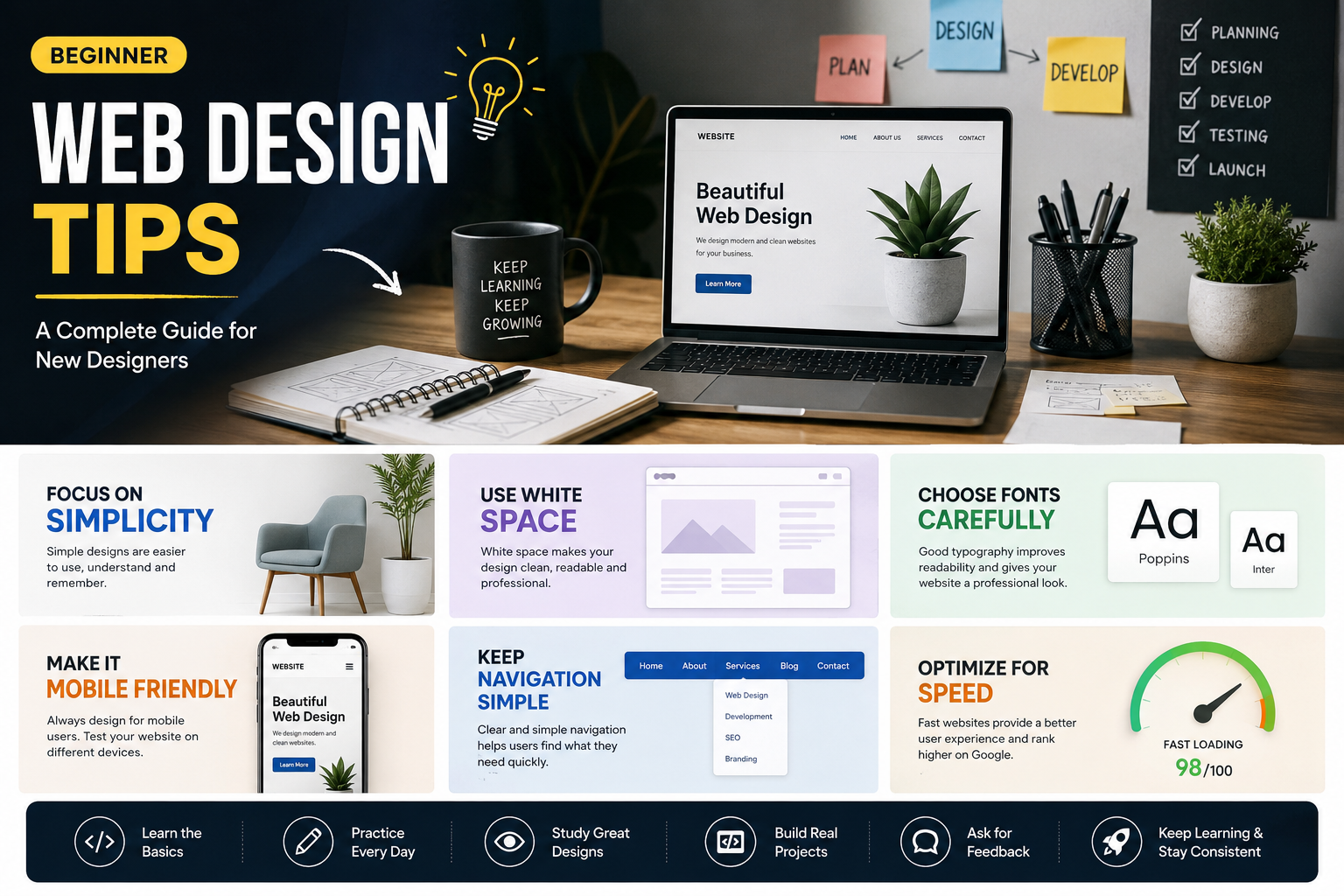
Website design is one of the most valuable digital skills you can learn today. Businesses, creators, schools, churches, online stores, and personal brands all need websites. The internet keeps growing every year, and companies and individuals are constantly searching for web designers who can create clean, modern, mobile-friendly and responsive websites.
For beginners, web design may seem difficult at first. You may look at professional websites and wonder how experienced designers create such beautiful layouts, smooth animations, and perfect user experiences. The good news is that every expert designer started as a beginner. Nobody becomes a great designer overnight.
I you want to become successful in web design, you need learn the fundamentals properly and practicing consistently.
In this complete guide, you will learn beginner web design tips that will help you improve faster, avoid common mistakes, and build websites that look professional even if you are just starting. So keep reading till the end it will only take few minutes of your time and I am sure you will appreciate me at the end.
Why Web Design Is Worth Learning
Before we get started with this guide, it’s important to understand why web design is such a powerful skill.
Web design allows you to:
- Work remotely
- Build freelance income
- Start an agency
- Create your own online business
- Help businesses grow online
- Build portfolios and brands
- Combine creativity with technology
Today, many small businesses, creators, still have poor websites or no website at all. That creates massive opportunities for beginner designers willing to utilize the opportunity.
You do not need expensive equipment to start. You can start your web design career just with a laptop, internet connection, and willingness to learn are enough.
1. Focus on Simplicity First
One of the biggest mistakes I see beginners make is trying to create a professional website and end up creating overly complicated websites.
Many new designers:
- Add too many colors
- Use excessive animations
- Fill pages with unnecessary elements
- Use difficult layouts
- Over-design every section
If you want to create a professional website, you need to know that professional websites are usually simple and clean.
Simplicity improves:
- User experience
- Readability
- Mobile responsiveness
- Loading speed
- Navigation
- Professional appearance
When designing a website, ask yourself:
- Is this easy to understand?
- Is the content clear?
- Can visitors find information quickly?
- Does the design feel clean?
Simple websites usually perform better than cluttered ones. Always build a simple website excerpt if the clients want something else.
2. Learn the Basics of HTML and CSS
Even if you plan to use website builders like WordPress or Webflow, understanding HTML and CSS is extremely important.
HTML is responsible for creating the structure of a web-page.
CSS controls:
- Colors
- Layouts
- Fonts
- Spacing
- Animations
- Images
- Responsiveness
Understanding these basics gives you more control over your designs.
Example of simple HTML structure:
<!DOCTYPE html><html><head><title>WebsiteName</title></head><body><h1>Welcometo Website Name</h1><p>This is my website.</p></body></html>
Simple CSS example:
body {font-family:san-sarif;background: #fff;color: white;}
You do not need to master everything immediately not that you can. So start small and practice regularly.
3. Use White Space Properly
White space means the empty space between elements.
Many beginners think every part of the screen must be filled with contents. That is incorrect.
White space helps:
- Improve readability
- Make designs cleaner
- Reduce visual stress
- Highlight important content
- Create a premium feel
Websites like Apple, Stripe, and Airbnb use plenty of white space. Avoid placing elements too close together.
Instead:
- Add padding
- Increase margins reasonably
- Give text room to breathe
- Separate sections clearly
When your website have good spacing, it instantly improves design quality.
4. Choose Fonts Carefully
Typography is one of the most important parts of web design. Using a bad fonts can ruin a website even if everything else looks good.
As a beginner you should:
- Use simple readable fonts
- Avoid too many font styles
- Keep font sizes consistent
- Maintain proper line spacing
Good beginner fonts include:
- Poppins
- Inter
- Roboto
- Open Sans
- Montserrat
Usually, when creating a website, using only 2 fonts is enough:
- One for headings
- One for body text
Avoid using fancy fonts everywhere because readability matters more than decoration.
5. Understand Color Theory
Colors affect emotions and user behavior.
A good color palette can make your website feel:
- Professional
- Modern
- Trustworthy
- Luxury
- Fun
- Creative
Beginners often use too many colors at once. This creates visual confusion.
A simple strategy:
- Primary color
- Secondary color
- Neutral background color
Example:
- Blue for buttons
- White background
- Gray text
Dark mode websites are also popular today.
Tools like color palette generators can help you create balanced combinations.
6. Make Your Website Mobile-Friendly
Most internet users browse websites using smartphones. If your website looks bad on mobile devices, users will leave almost immediately. Responsive design means your website adapts to different screen sizes.
Important mobile tips:
- Use flexible layouts
- Avoid huge text blocks
- Make buttons easy to tap
- Optimize images
- Test on multiple devices
Example CSS media query:
@media (max-width: 768px) {.container {flex-direction: column;}}
Mobile responsiveness is no longer optional in modern web design.
7. Learn Basic UI/UX Principles
UI means User Interface.
UX means User Experience.
Together, they focus on making websites easy and enjoyable for users.
Good UX means:
- Clear navigation
- Fast loading
- Easy reading
- Logical layout
- Smooth interactions
Bad UX frustrates visitors.
When designing your website always think from the user’s perspective:
- What are they looking for?
- Can they find it easily?
- Is the website confusing?
- Are buttons obvious?
Design is not only about beauty. It is also about usability.
8. Keep Navigation Simple
Navigation helps visitors move through your website. Complicated menus confuse users.
A beginner-friendly website should have:
- Clear menu items
- Easy-to-find buttons
- Logical structure
- Consistent navigation
Typical navigation items:
- Home
- About
- Services
- Blog
- Contact
Avoid adding too many menu links. The easier your site is to navigate, the better the experience.
9. Study Professional Websites
One of the fastest ways to improve is by studying professional designs.
Look at:
- Layouts
- Typography
- Color usage
- Spacing
- Animations
- Hero sections
- Navigation styles
Do not copy directly to avoid copyright and other things.
Instead, analyze:
- Why does this design work?
- What makes it look modern?
- How is the content organized?
This helps train your design eye.
10. Practice Every Day
Web design is a skill that improves through repetition. Watching tutorials alone is not enough. You must build projects consistently.
Beginner practice ideas:
- Portfolio website
- Restaurant landing page
- Online store homepage
- Blog layout
- Fitness website
- Music artist page
- Tech startup homepage
Each project teaches something new. Even if you practice web design for only 1 hour daily can lead to major improvement over time.
11. Learn Flexbox and CSS Grid
Modern web layouts depend heavily on Flexbox and CSS Grid.
Flexbox helps align items easily.
Example:
.container {display: flex;justify-content: center;align-items: center;}
CSS Grid helps create complex layouts.
Example:
.grid {display: grid;grid-template-columns: 1fr 1fr;}
These tools make responsive design much easier. Every beginner designer should learn them.
12. Optimize Website Speed
If your have a slow website you will lose visitors quickly.
Things that slow websites down:
- Large images
- Too many animations
- Unoptimized code
- Excessive plugins
Improve speed by:
- Compressing images
- Using modern formats
- Minimizing CSS and JavaScript
- Reducing unnecessary elements
Fast websites improve:
- User experience
- SEO rankings
- Conversion rates
Speed matters more than many beginners realize.
13. Learn Basic SEO
SEO means Search Engine Optimization.
SEO helps websites appear on search engines like Google.
Basic SEO tips:
- Use headings properly
- Add keywords naturally
- Optimize images
- Write clear titles
- Use meta descriptions
- Improve page speed
Example of proper heading structure:
<h1>Main Title</h1><h2>Section Heading</h2><h3>Subheading</h3>
Good SEO helps people discover websites organically.
14. Use High-Quality Images
Poor-quality images make websites look unprofessional.
Use:
- Sharp photos
- Proper resolutions
- Consistent style
- Optimized file sizes
Avoid:
- Blurry images
- Stretched photos
- Random stock photos
- Overused visuals
Images strongly influence first impressions.
15. Build a Strong Portfolio
Your portfolio is one of your most important assets as a web designer.
Even beginners should create one.
Your portfolio should include:
- Personal projects
- Design experiments
- Client work
- Landing pages
- Responsive layouts
For each project include:
- Screenshots
- Project description
- Technologies used
- Design goals
When you have a strong portfolio it can help you get:
- Freelance clients
- Internship opportunities
- Remote jobs
- Collaborations
16. Learn Basic JavaScript
You can use HTML and CSS to create static websites. And JavaScript adds interactivity.
Examples:
- Sliders
- Popups
- Dropdown menus
- Animations
- Interactive forms
Simple JavaScript example:
button.addEventListener("click", () => {alert("Welcometo technex!");});
You do not need advanced JavaScript immediately. You can Start with basics and gradually improve.
17. Avoid Too Many Effects
Animations can improve websites when used correctly.
But beginners often overuse:
- Moving text
- Flashy transitions
- Heavy effects
- Random animations
When you use too many effects it makes websites distracting.
Use animations carefully:
- Hover effects
- Smooth transitions
- Button feedback
- Subtle scrolling animations
Modern design is usually clean and controlled.
18. Learn Design Hierarchy
Visual hierarchy helps users know what to focus on first. All important elements should stand out.
You can create hierarchy using:
- Larger text
- Bold fonts
- Contrast
- Spacing
- Color emphasis
For example:
- Headings bigger than paragraphs
- Buttons brighter than background
- Important sections highlighted
Good hierarchy improves readability and engagement.
19. Use Consistent Styling
Consistency makes websites look professional.
Keep:
- Button styles consistent
- Font sizes balanced
- Color usage uniform
- Layout patterns similar
Inconsistent designs feel messy.
Create a design system:
- Primary button style
- Secondary button style
- Heading sizes
- Standard spacing
This improves workflow and design quality.
20. Learn from Feedback
Feedback helps you improve faster.
Show your work to:
- Friends
- Designers
- Online communities
- Mentors
Ask questions like:
- What feels confusing?
- What looks unprofessional?
- What could improve?
Constructive criticism is valuable for growth.
21. Do Not Compare Yourself Too Much
Many beginners become discouraged after seeing advanced designers online.
Remember:
- Every expert started as a beginner
- Improvement takes time
- Consistency matters more than perfection
Focus on:
- Learning gradually
- Completing projects
- Improving each month
Progress compounds over time as long as you keep learning.
22. Follow Modern Design Trends Carefully
Design trends evolve constantly.
Popular trends today include:
- Dark mode
- Minimalism
- Glassmorphism
- Soft gradients
- Large typography
- 3D illustrations
- Smooth micro-interactions
However, trends should not destroy usability. A trendy website that is difficult to use is still a bad website. Balance creativity with functionality.
23. Learn Accessibility Basics
Accessibility means designing websites everyone can use, including people with disabilities.
Basic accessibility tips:
- Use readable text
- Maintain good contrast
- Add alt text to images
- Avoid tiny buttons
- Make navigation keyboard-friendly
Accessibility improves inclusiveness and usability.
24. Organize Your Code Properly
Messy code becomes difficult to maintain.
Good habits:
- Use indentation
- Name classes clearly
- Separate CSS properly
- Comment sections when needed
Example:
/* Hero Section */.hero {padding: 80px;}
Clean code improves productivity and teamwork.
25. Build Real Projects Instead of Only Tutorials
Tutorials are useful, but many beginners become trapped in “tutorial hell.” You improve more by creating original projects.
Challenge yourself:
- Build without watching step-by-step videos
- Solve problems independently
- Experiment with layouts
Real experience builds confidence.
26. Learn Basic Branding Principles
Web design and branding work together.
Good branding includes:
- Consistent colors
- Logo identity
- Typography consistency
- Clear messaging
When designing for businesses, understand:
- Target audience
- Brand personality
- Business goals
A luxury brand should not look childish.
A gaming website should not look overly corporate.
27. Understand Call-to-Action Buttons
CTA means Call-To-Action.
Examples:
- Buy Now
- Contact Us
- Start Free Trial
- Join Today
Good CTAs:
- Stand out visually
- Use clear wording
- Encourage action
Bad CTAs are:
- Hard to find
- Too vague
- Poorly designed
Strong CTA design improves conversions.
28. Learn Content Structure
Even beautiful websites fail if content structure is poor.
Good content structure includes:
- Clear headings
- Short paragraphs
- Bullet points
- Easy scanning
Most users skim websites quickly.
Readable structure keeps visitors engaged.
29. Be Patient With Your Growth
Web design can feel overwhelming initially.
There are many things to learn:
- HTML
- CSS
- JavaScript
- UI/UX
- SEO
- Responsive design
- Typography
- Accessibility
You do not need to master everything immediately. Focus on steady improvement.
30. Start Freelancing Small
You do not need to wait until you feel perfect before offering services.
Begin with:
- Small businesses
- Friends
- Personal brands
- Churches
- Local stores
Offer:
- Landing pages
- Portfolio websites
- Website redesigns
Every project builds experience and confidence.
Common Beginner Web Design Mistakes
Here are mistakes beginners should avoid:
1. Using Too Many Colors
Too many colors create confusion.
2. Ignoring Mobile Design
Mobile users are extremely important.
3. Copying Designs Exactly
Learn inspiration, not plagiarism.
4. Over-complicated Layouts
Simple layouts often work best.
5. Poor Font Choices
Readability always matters.
6. Huge Text Blocks
Break content into sections.
7. Lack of Practice
Skills improve through building.
8. Ignoring Speed Optimization
Fast websites perform better.
Best Tools for Beginner Web Designers
Useful beginner tools include:
Design Tools
- Figma
- Canva
- Adobe XD
Code Editors
- Visual Studio Code
- Sublime Text
Image Tools
- TinyPNG
- Remove.bg
Font Resources
- Google Fonts
Inspiration Websites
- Dribbble
- Behance
- Awwwards
These tools can improve workflow significantly.
How to Improve Faster as a Beginner
If you want rapid improvement:
- Practice daily
- Recreate layouts
- Study professional websites
- Join design communities
- Watch tutorials strategically
- Build real projects
- Learn from mistakes
Consistency beats talent over time.
The Future of Web Design
Web design continues evolving rapidly.
Important future trends include:
- AI-assisted design
- Voice interfaces
- Interactive experiences
- Faster mobile optimization
- Advanced personalization
- 3D web experiences
Despite new technologies, the fundamentals remain important:
- Clean design
- Good UX
- Fast loading
- Responsive layouts
Mastering fundamentals gives you long-term advantages.
Final Thoughts
Starting web design can feel intimidating, but it is one of the best digital skills you can learn today.
The most important thing is not perfection. It is consistency.
Every great designer once struggled with:
- Layouts
- Responsive design
- Typography
- CSS bugs
- Creativity
- Confidence
Improvement comes through practice, patience, and curiosity.
Focus on:
- Building projects
- Learning fundamentals
- Studying good design
- Improving gradually
Do not wait until you feel “ready.” Start creating now.
The more websites you build, the more confident and skilled you will become.
Your first website may not look amazing, but your tenth website will be much better. Your fiftieth website may look professional enough to attract clients and income opportunities.
Web design is not only a creative skill. It is also a gateway to freelancing, entrepreneurship, online business, and digital independence.
Start simple, stay consistent, and keep building.